Software-only license
Turn your headset into a spray-training booth.
Already equipped with VR? Add SprayVerse to a compatible headset and bring structured spray-painting practice, guided learning, and measurable feedback into your training program.
- Standalone VR app
- HVLP + Airless
- Interactive lessons
- Built-in analytics
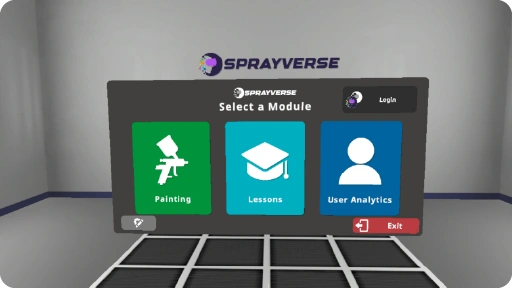

Software that fits your setup
Start with the hardware you already have.
The software-only option gives individuals and organizations a cost-effective route into immersive spray-painting training.
Compatible hardware
Bring SprayVerse to supported Meta, VIVE, or PICO VR equipment.
Three operation modes
Move between spray practice, interactive learning, and analytics preview.
Four industries
Practice with automotive, aircraft, construction, and furniture parts.
Measurable feedback
Review coverage, paint use, time, and recorded spray-gun movement.
One app · three paths
Practice, learn, and review without leaving VR.
Choose the mode that matches the trainee’s goal, from technique practice to guided lessons and a clear preview of performance.
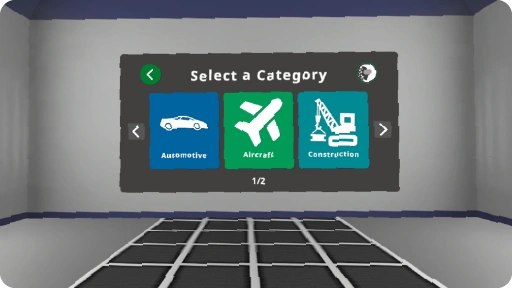
Multiple industries
Train on parts that match the work.
Switch between four industry categories and a varied library of relevant parts, shapes, and surfaces.
- Automotive Fenders, doors, hoods, bumpers, mirrors
- Aircraft Wings, propellers, cowlings, nose cones
- Construction Beams, pipes, elbows, tiles, rail sections
- Furniture Doors, windows, cabinets, shutters
Interactive learning lessons
Learn the process before repeating the pass.
Built-in lessons introduce essential spray-painting knowledge through activities trainees can complete inside the simulator.
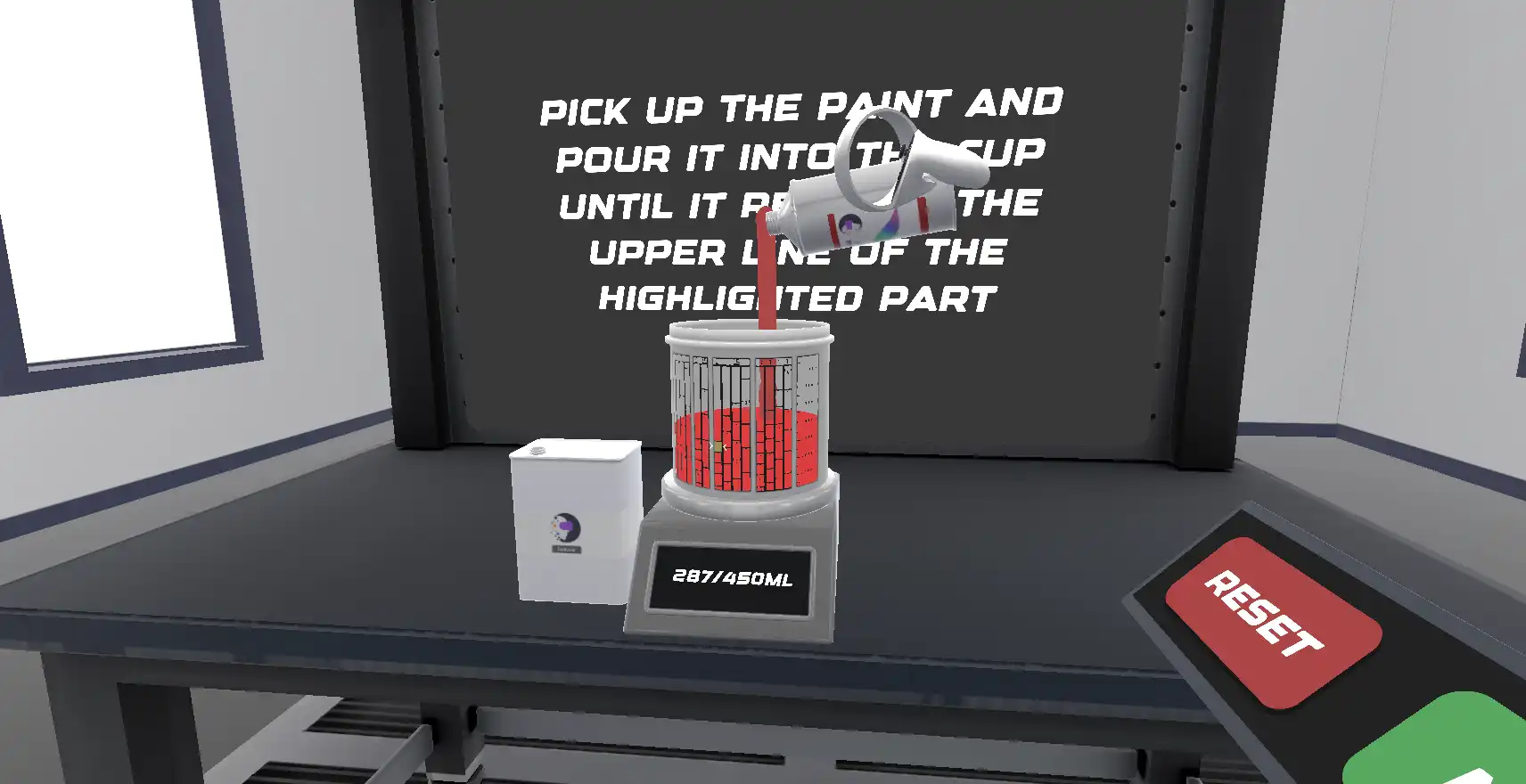
- Spray Painting Tutorial
- Spray Gun Setup
- Paint Mixing Tutorial
- Paint Blending Tutorial
Feedback made visible
Connect technique with the result.
Real-time cues and post-session analytics help trainees understand where their movement and application can improve.
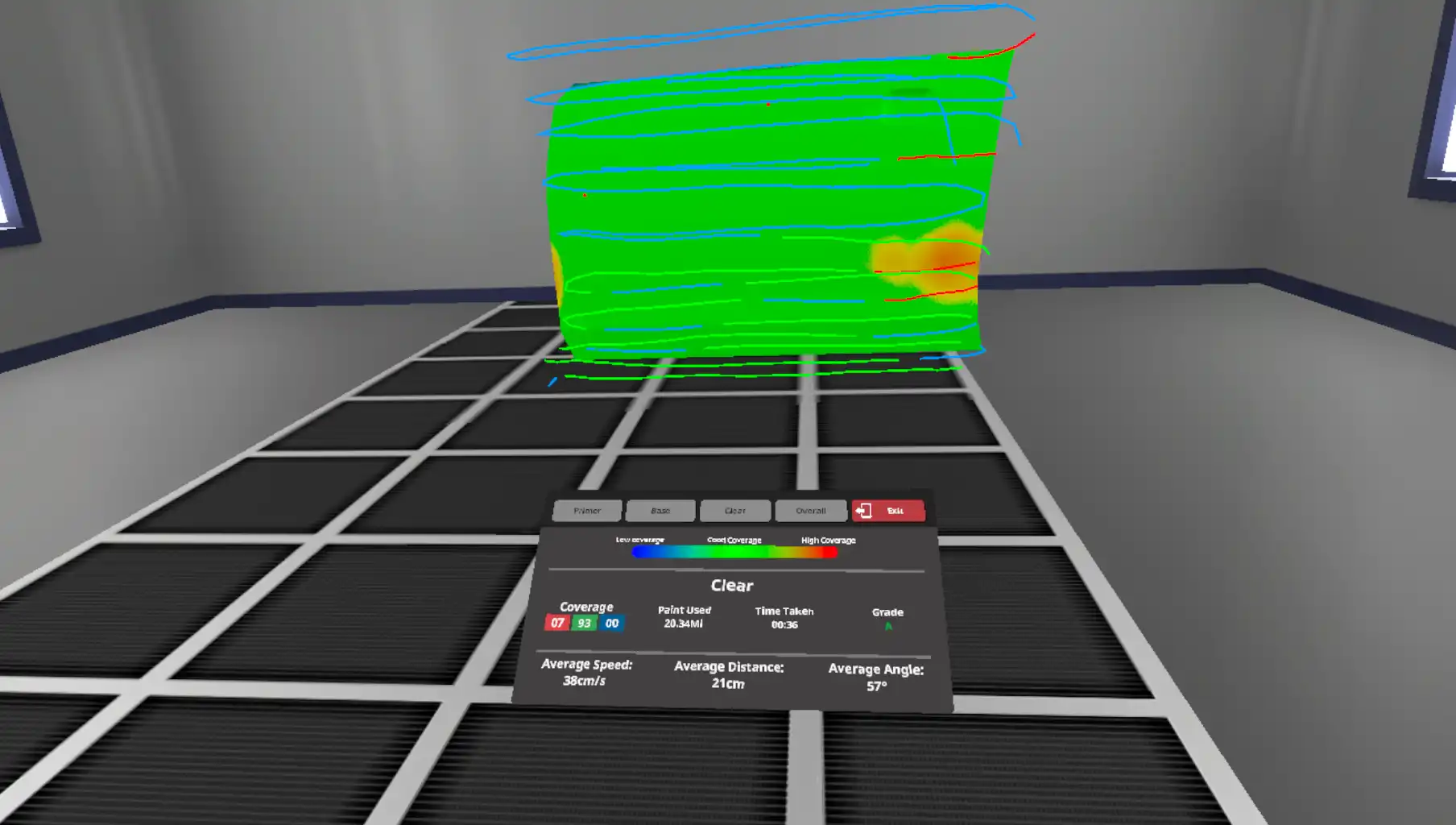
Coverage Heatmaps & Tracking
Identify over-painted and under-painted areas, follow distance guidance, and review the recorded movement path after the session.
- Coverage
- Distance cues
- Tracking lines
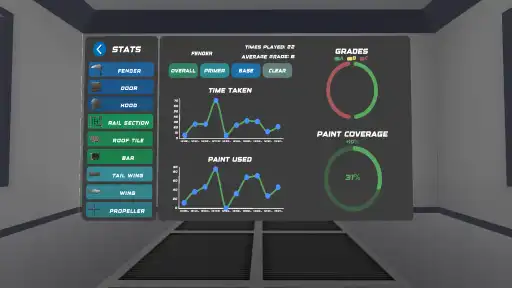
Built-In Grading & Analytics
Score completed practice using coat coverage, paint used, time spent, and the spray-gun movement recorded throughout the session.
- Paint used
- Time
- Movement
A focused software flow
From compatible headset to useful feedback.
Move through a clear training experience without adding a separate physical simulator system.
Confirm
Start with compatible Meta, VIVE, or PICO VR hardware.
Launch
Open the standalone SprayVerse application on the supported headset.
Practice
Select a technique, industry, part, and training or learning mode.
Review
Use the heatmap, tracking path, grading, and analytics to improve.
Choose the right setup
Software-only or fully equipped?
Start with your existing compatible hardware, or choose a turnkey package that brings the complete SprayVerse system together.
VR Software
For individuals and organizations that already have compatible VR headsets.
Request softwareAll-in-One
A complete package with the headset, real spray gun, protective case, casting, and cloud tools.
Explore All-in-One